







Network Device Alerts
- What are the network device alerts
- Device offline alerts
- Device interface alerts
What you are going to learn:
Device Offline Notification 
When the collector agent is no longer able to communicate with the network device, the device is to be considered offline. When it happens, a notification is raised with the severity level configured in the Network Device Settings.
The network device needs to go online a first time before it can be considered offline.
Alerts on Device Interfaces (Up/Down)
Network devices typically have multiple network interfaces; some are physical network ports (like Ethernet copper or fibre ports), while others are logical interfaces (such as routed VLANs or VPNs). When a port goes down, it can have an immediate impact on your network connectivity, affecting internet connections, site-to-site links, or server connections.
Obkio monitors your device interfaces by polling bandwidth usage (inbound and outbound traffic) as well as CRC errors. With Interface Alerts, you'll automatically receive notifications when a port changes status, so you can quickly identify and resolve connectivity issues.
How to Enable Interface Alerts
Interface alerts are deactivated by default. Here's how to turn them on:
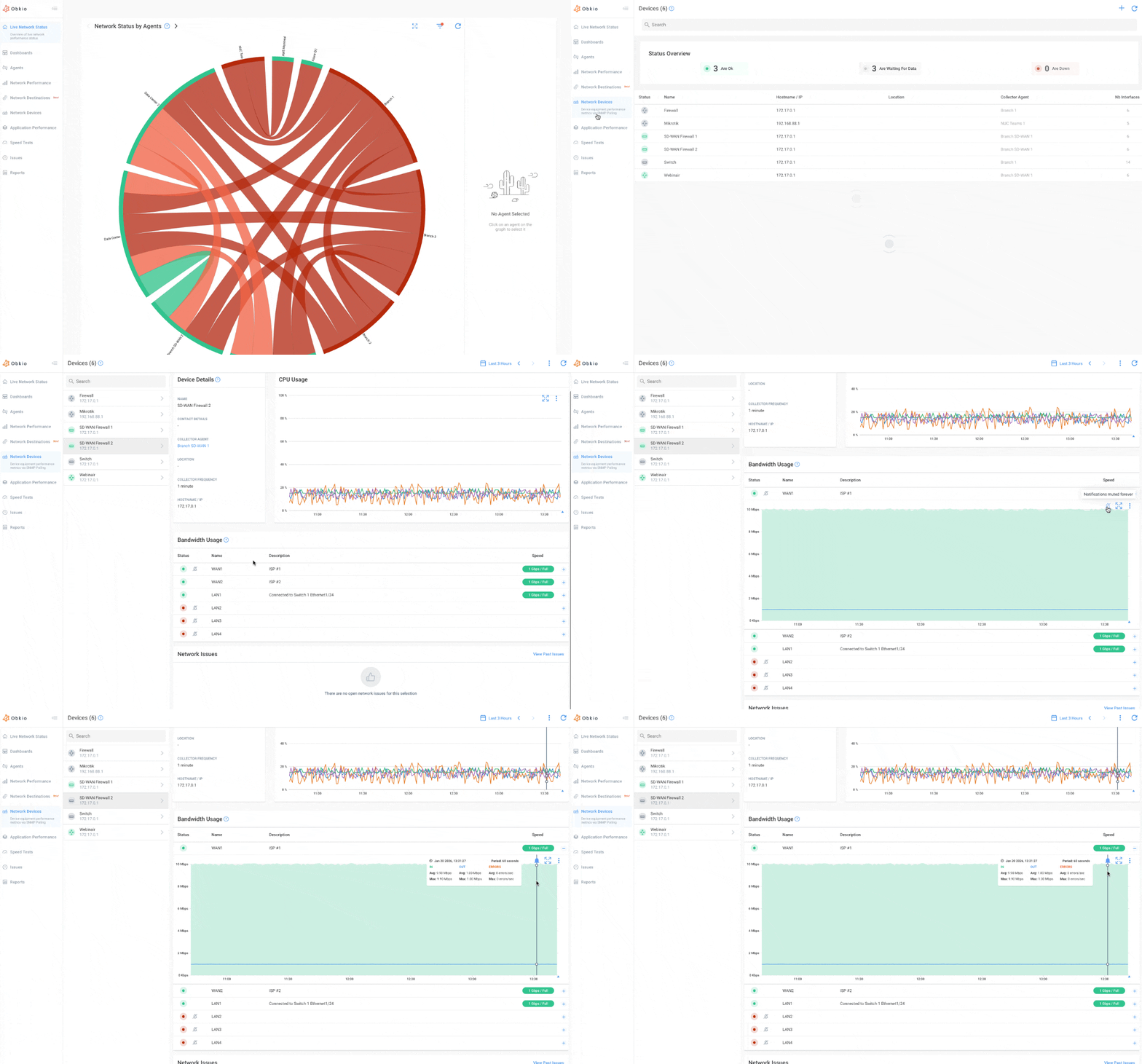
- Navigate to the Device tab in your Obkio app
- Open the "Bandwidth Usage" graph for your device
- Click the icon to activate alerts for that specific interface
- Once activated, you'll automatically receive alerts when a port goes up or down