








Solve Invalid Session - No Server Error
- How to fix an Invalid Session - No Server Error.
What you are going to learn:
How to fix this? 
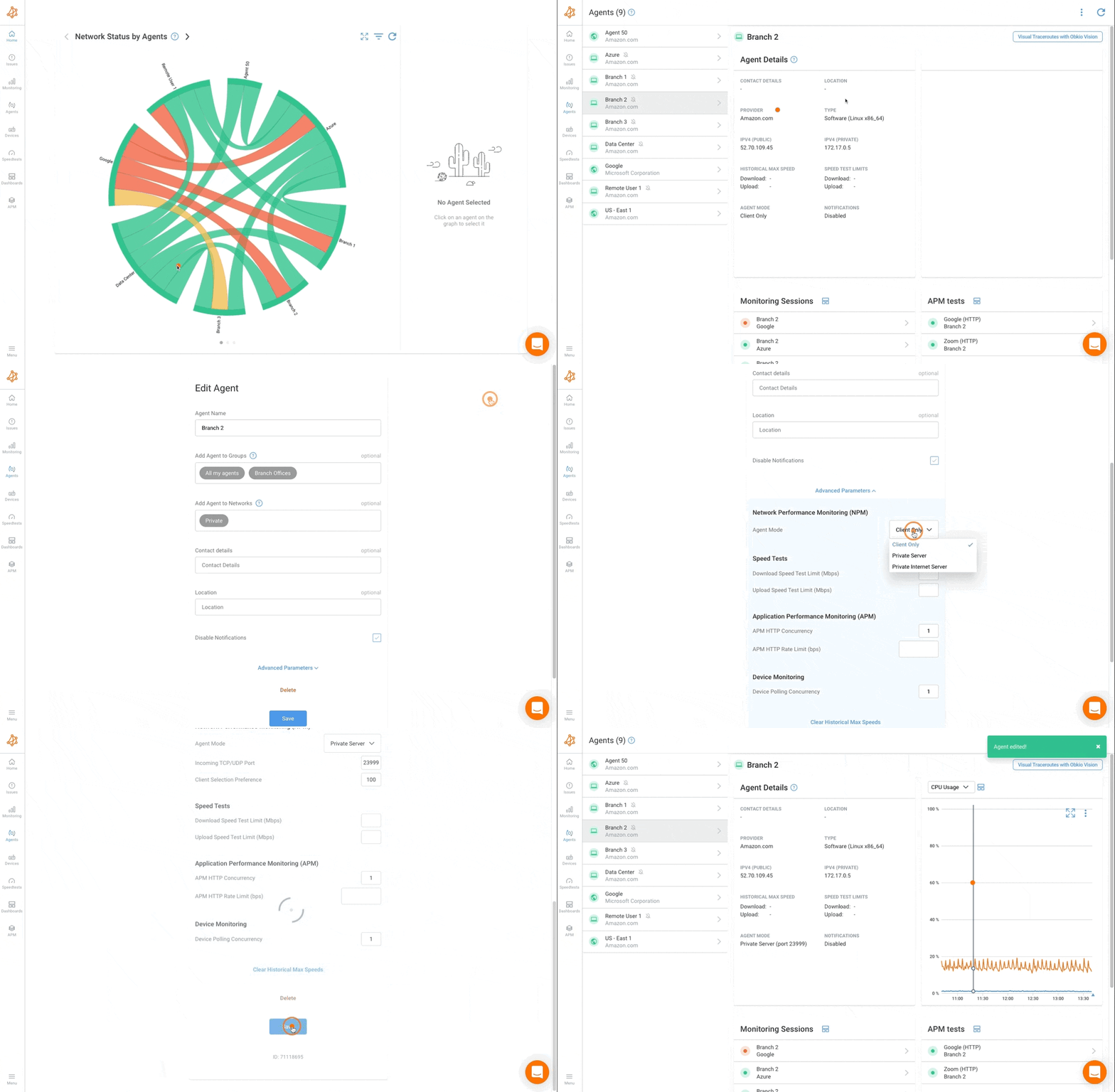
The two agents cannot communicate with each other because none of them is set with the Server agent mode. To measure the network performance between two agents, one of them needs to be set in this mode in order to accept incoming UDP packets and return them back to the other agent. You can fix this by changing the agent mode on one of them to Private Internet Server, to monitor from the public IPs, or to Private Server, to monitor via the private IPs like this.
Please note both Agents can be in a server mode and the Client election logic will kick in. See the Monitoring Agent Modes for more information.