











Application Performance Monitoring Status Overview
- What the Status Overview bar displays
- How to filter application tests by status
What you are going to learn:
Status Overview bar 
Navigate to the Application Performance tab in Obkio's app. This page displays all Application Performance Monitoring tests with a status overview and filtering options.
The Status Overview bar at the top shows how many application tests are in each state.
- Filter by status to quickly find application tests needing attention:
- Click on any status (The available statuses "Ok", "Waiting for Data", "Warning", "Error" and "Down") to filter and display only tests in that state
Click the same status again to return to the full overview showing all application tests
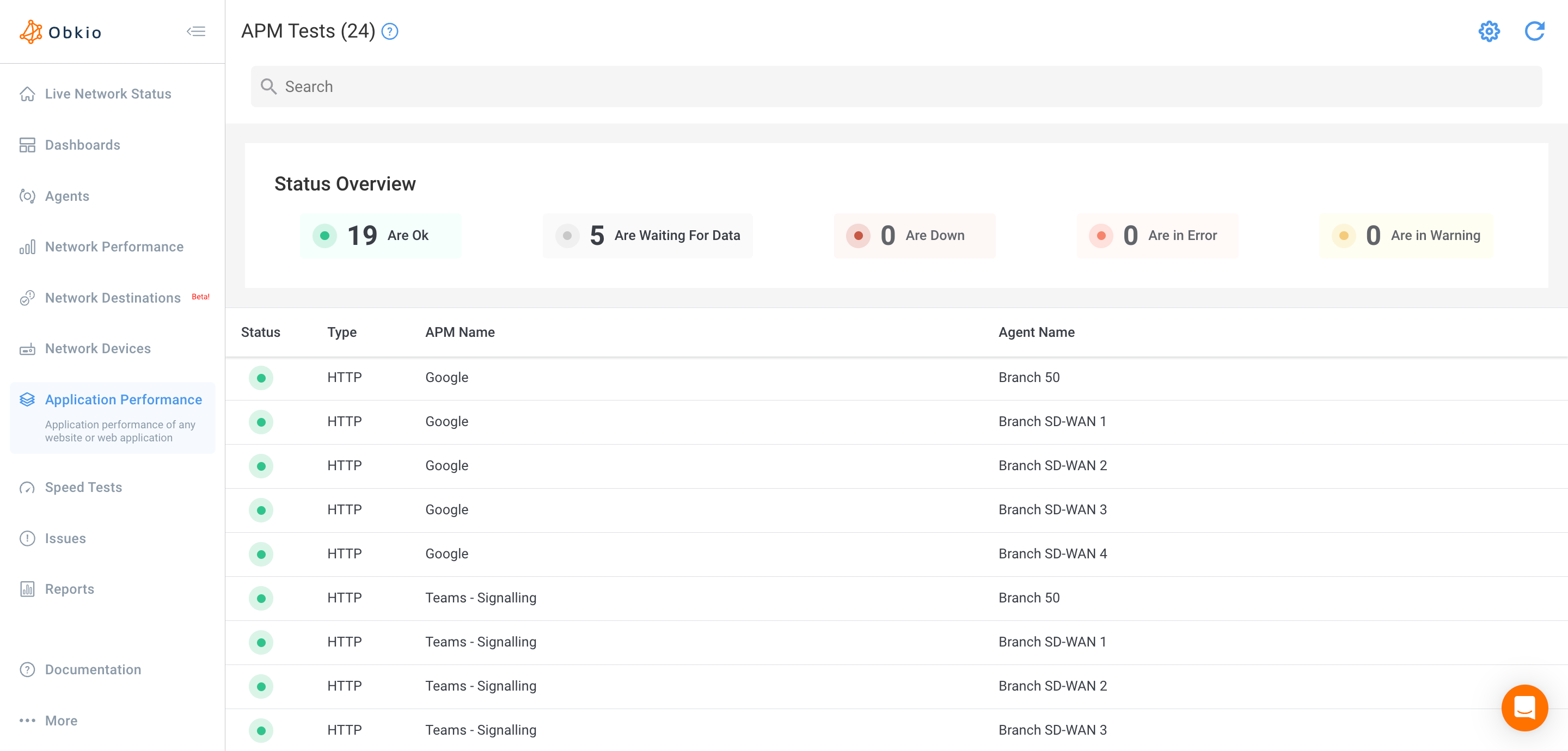
The Status Overview bar helps you quickly assess application reachability and performance across all monitored endpoints and identify applications experiencing connectivity or performance issues.