








 Obkio Blog


 Subscribe
Table of Contents
Table of Contents
You know the conversation. Calls are choppy, users are complaining, and Obkio shows packet loss on the path to your ISP. You open a ticket, and they reply, "Everything looks fine on our end."
Now you're stuck taking screenshots, exporting graphs, and trying to explain data to someone who can't see it. Meanwhile, the problem keeps happening.
Today we're launching Shareable Links. With one click, you can create a read-only link to any Network Monitoring Session and send it to anyone. Your ISP, your MSP's client, another IT team, a vendor. They don't need an Obkio account or a login. They just open the link and see the same data and diagnosis you do.
No more screenshots. No more back and forth. Everyone looks at the same evidence so that you can get to the fix faster.
Insights automatically diagnoses the problem. Shareable Links prove it. 
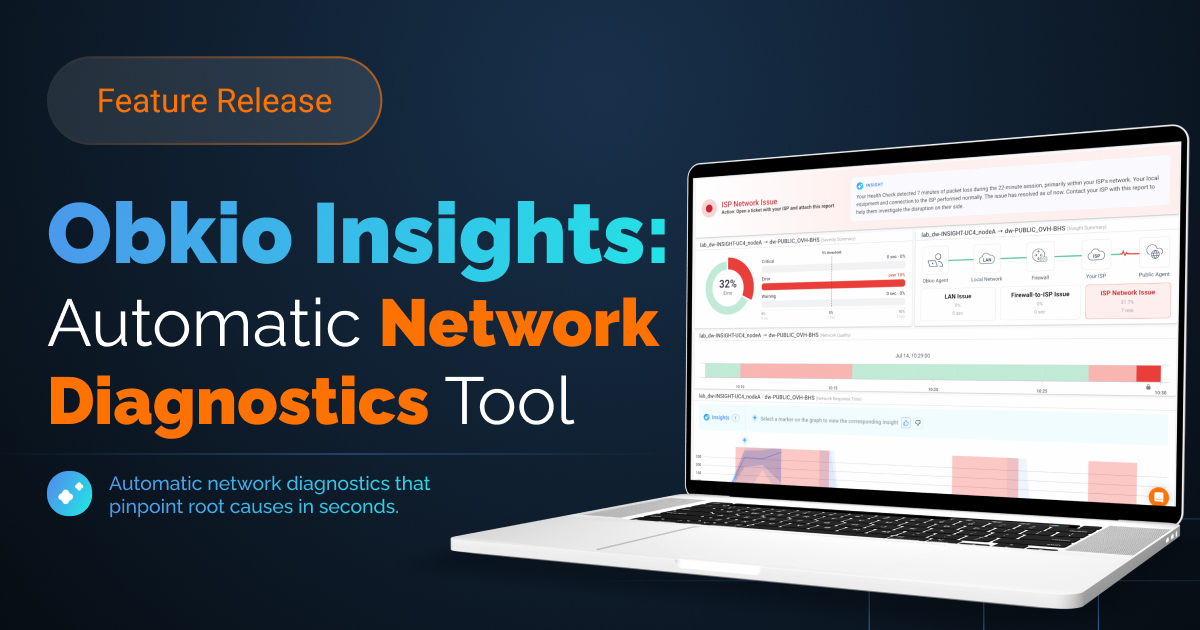
Obkio Insights, our automatic network diagnostics feature, already does the hard part. It automatically cross-references your monitoring data, from Network Monitoring Sessions and traceroutes to SNMP devices, speed tests and agent stats, to tell you where a problem is and what's causing it.
But knowing it's your ISP and getting your ISP to agree are two different things. Most of the time, the fix depends on someone outside your team. That's where troubleshooting usually slows down.
Stop arguing with your ISP. Send them proof of your network issue.
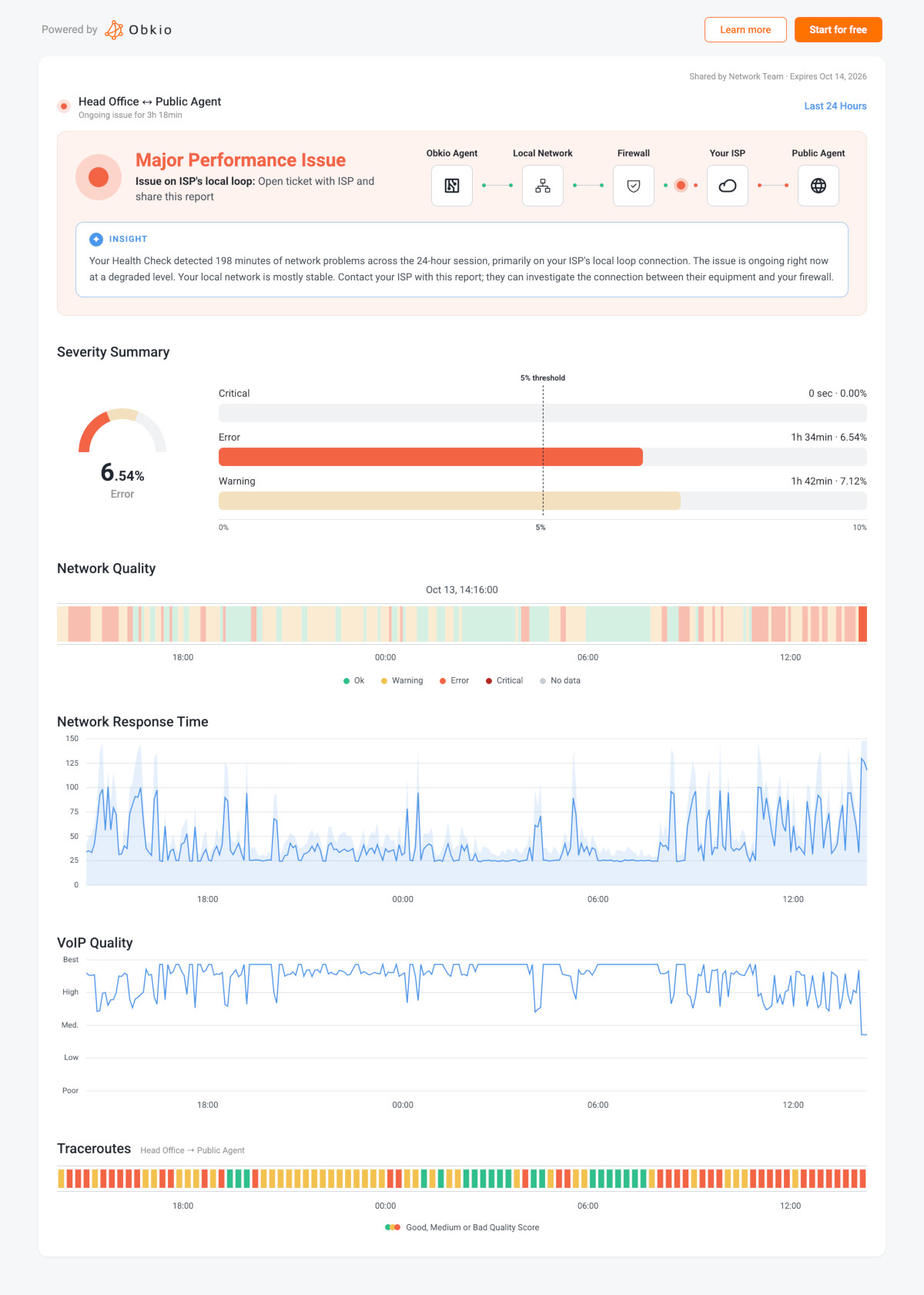
Shareable Links closes that gap. Insights gives you the diagnosis, and a shared link gives the people who need to act on it the evidence behind it. Instead of describing the problem, you show it: the same graphs, the same traceroutes, the same timeline you used to find it. The Insights diagnosis is right on the shared page too, so they see both what's wrong and the data that backs it up.
The result is a complete loop: Obkio detects the issue, Insights diagnoses it, and a Shareable Link gets it in front of the right people so it actually gets fixed.
Who you can share your network performance data with
Your ISP or service provider
This is the one most of you have been waiting for. When Insights points to your ISP, send their support team a link to the session. They can see the packet loss, latency and jitter over time, plus the traceroutes in both directions showing where it happens. It's a lot harder to say "It's not on our end" when the data is right in front of you.
Your MSP clients
If you manage networks for clients, Shareable Links gives you an easy way to show them what's going on without giving them access to your Obkio account. Share a session when you're explaining an outage, proving an issue is resolved, or showing that their network is performing as promised.
Other IT teams
Network issues rarely stay in one team. Share a session with the security team looking at a firewall, the systems team managing a server, or a colleague at another site. Everyone works from the same data instead of their own version of events.
Cloud, SaaS and UC vendors
When the problem is on the destination side, whether that's a data center, a cloud provider or a SaaS app, a link gives their support team the evidence they need to open an investigation. The same goes for VoIP and Microsoft Teams call quality issues, where the VoIP Quality graph shows exactly when calls degraded.
When it's not the network
Sometimes the most useful thing you can share is a session that says All Good. When someone blames the network, a link showing a healthy session over the same period helps everyone move on and look in the right place.
What is shared: Network Performance and Diagnosis Data
When someone opens your link, they get a clean, read-only view of that one session. They can't see anything else in your account, and your organization's name isn't shown on the page.
The shared page includes:
- The two agents of the session and how long it's been in its current status
- The session's status overview with the Insights diagnosis, plus a Severity Summary when there are issues
- The Network Quality, Network Response Time and VoIP Quality graphs
- Traceroutes in both directions
- A date selector, so they can look at the last 3 hours or go back to any period
That last part matters. Your ISP isn't limited to a snapshot you picked. They can explore the timeline themselves and see when the problem started and how often it comes back.
And if they like what they see, they can create a free Obkio account right from the page to get the same visibility on their own network.
You stay in control of your network data
Sharing data outside your team should never mean losing track of it. Every link comes with built-in limits:
- Every link expires. Choose 1 day, 7 days, 30 days, 90 days, 1 year, or a custom duration up to 2 years. You can extend or shorten it anytime.
- Revoke in one click. A revoked link stops working right away.
- Admins decide. Shareable Links are off by default. An Administrator turns them on for the organization, and turning them off stops every existing link at once.
- Role-based access. Only Administrators and Standard Users can create and manage links.
- Not indexed. Search engines don't index shared pages.
In your session list, an icon shows which sessions currently have an active link, so you always know what's shared.
How to share a network monitoring session
If you're an Administrator, start by turning on Allow public share links in your Organization's Advanced Parameters.
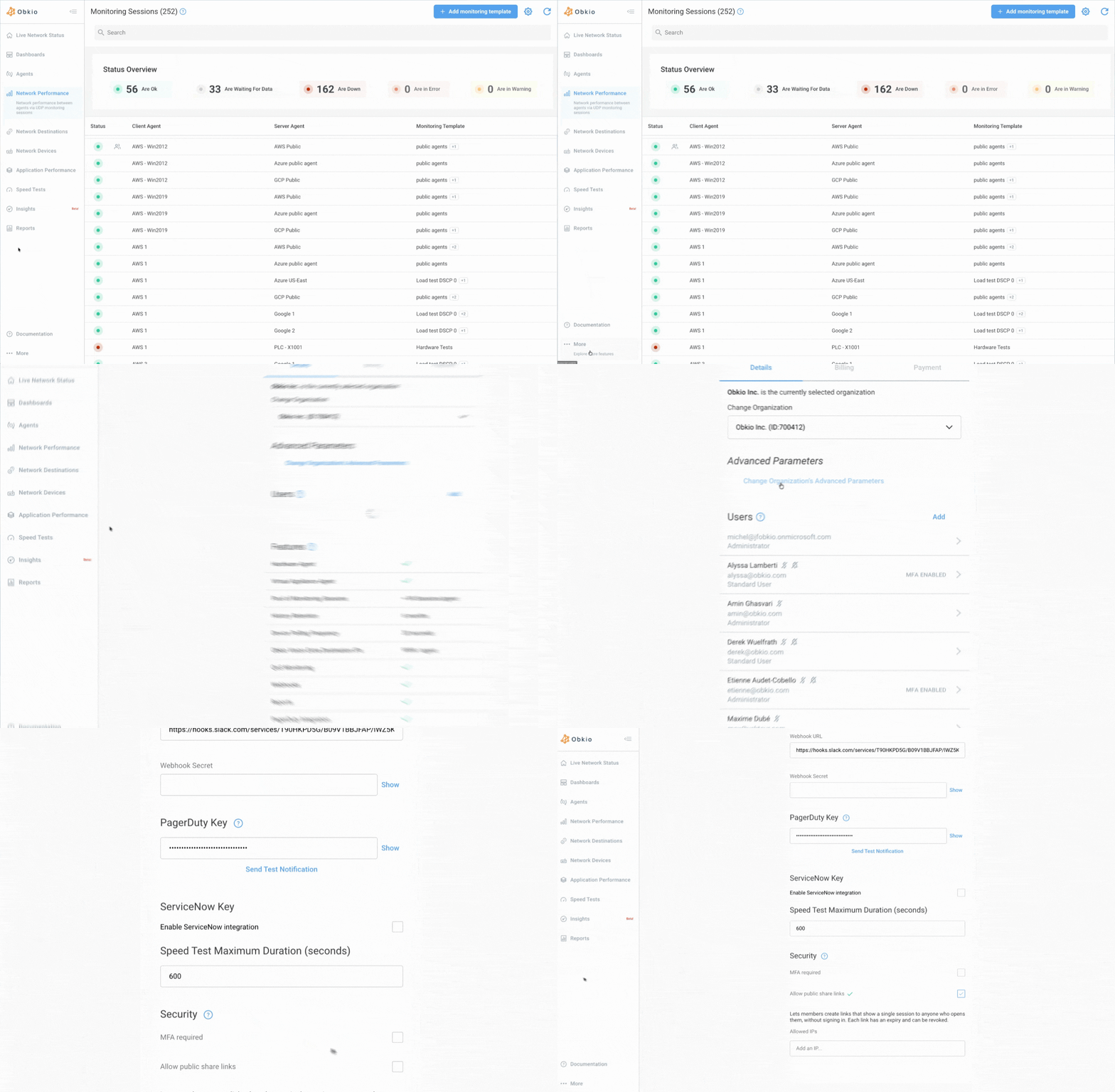
Then:
- Open a Network Monitoring Session from the Network Performance tab.
- Click Share at the top of the page.
- Name your link and choose when it expires.
- Click Create link, then Copy link and send it.
That's it. To change the expiry or revoke the link later, click Sharing in the same session.
For now, Shareable Links are available for Network Monitoring Sessions, and we'll be adding more pages over time. For all the details, check out the Shareable Links documentation.
Get everyone on the same page
Finding the problem was never the whole job. Getting it fixed means getting the right people to see it, and that's what Shareable Links is built for.
Shareable Links is available now. Log in to Obkio, open a session, and click Share.
Not using Obkio yet? Start for free and let Insights show you where your network problems are coming from.

- 14-day free trial of all premium features
- Deploy in just 10 minutes
- Monitor performance in all key network locations
- Measure real-time network metrics
- Identify and troubleshoot live network problems